
<div dir="ltr" style="text-align: left;" trbidi="on">p { margin-bottom: 0.25cm; line-height: 120%; }a:link { }
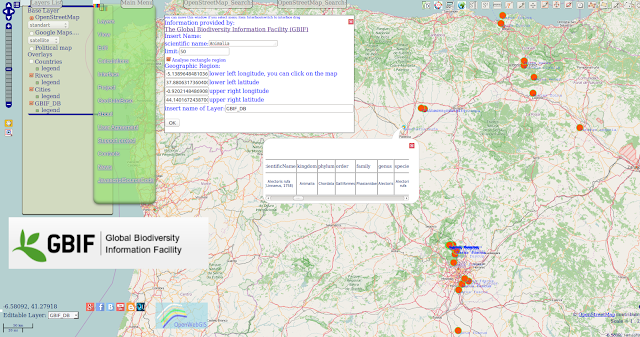 OpenWebGIS team has started developing the new feature. You, our users and contributors inspire us on constant improvement of OpenWebGIS. Thanks to our new contributors info from Canada and ANDREA ANSELMI from Italy. Now you can use selecting and mapping data from The Global Biodiversity Information Facility (GBIF). GBIF is an international open data infrastructure, funded by governments. «The data accessible through GBIF relate to evidence about more than 1.6 million species, collected over three centuries of natural history exploration and including current observations from citizen scientists, researchers and automated monitoring programmes». More about GBIF read here. You can make your selections and put them automatically on the map using the menu item of OpenWebGIS "GeoDataBase-> Global Biodiversity". After that a popup (see Figure 1, 2) window will appear with options for your query.
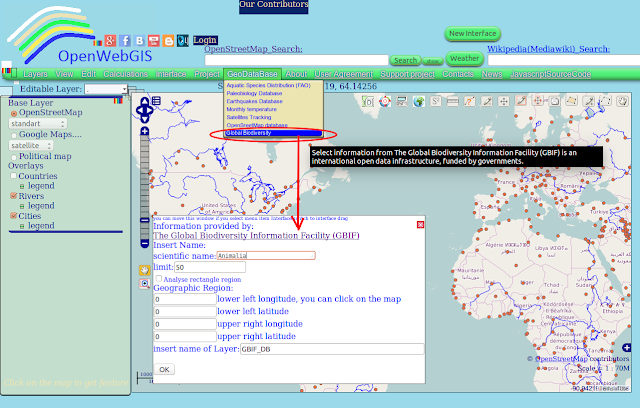 Figure 1 - Popup window for GBIF in the old interface of OpenWebGIS
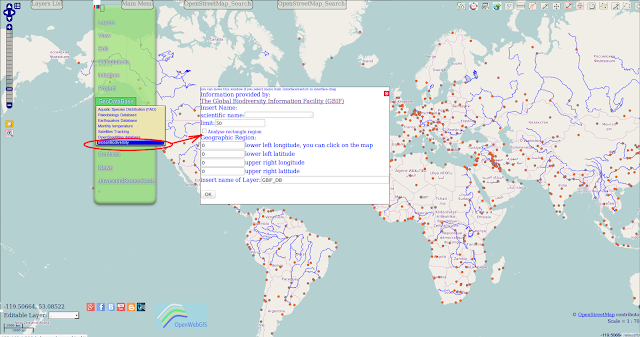 Figure 2 - Popup window for GBIF in one of variants of a new interface of OpenWebGIS
<div style="text-align: justify;">Insert the scientific name of the species. Please write this name like it is described in GBIF Backbone Taxonomy. Option "limit" -controls the number of results. The more the limit is — the selection and mapping are slower.
أكثر...
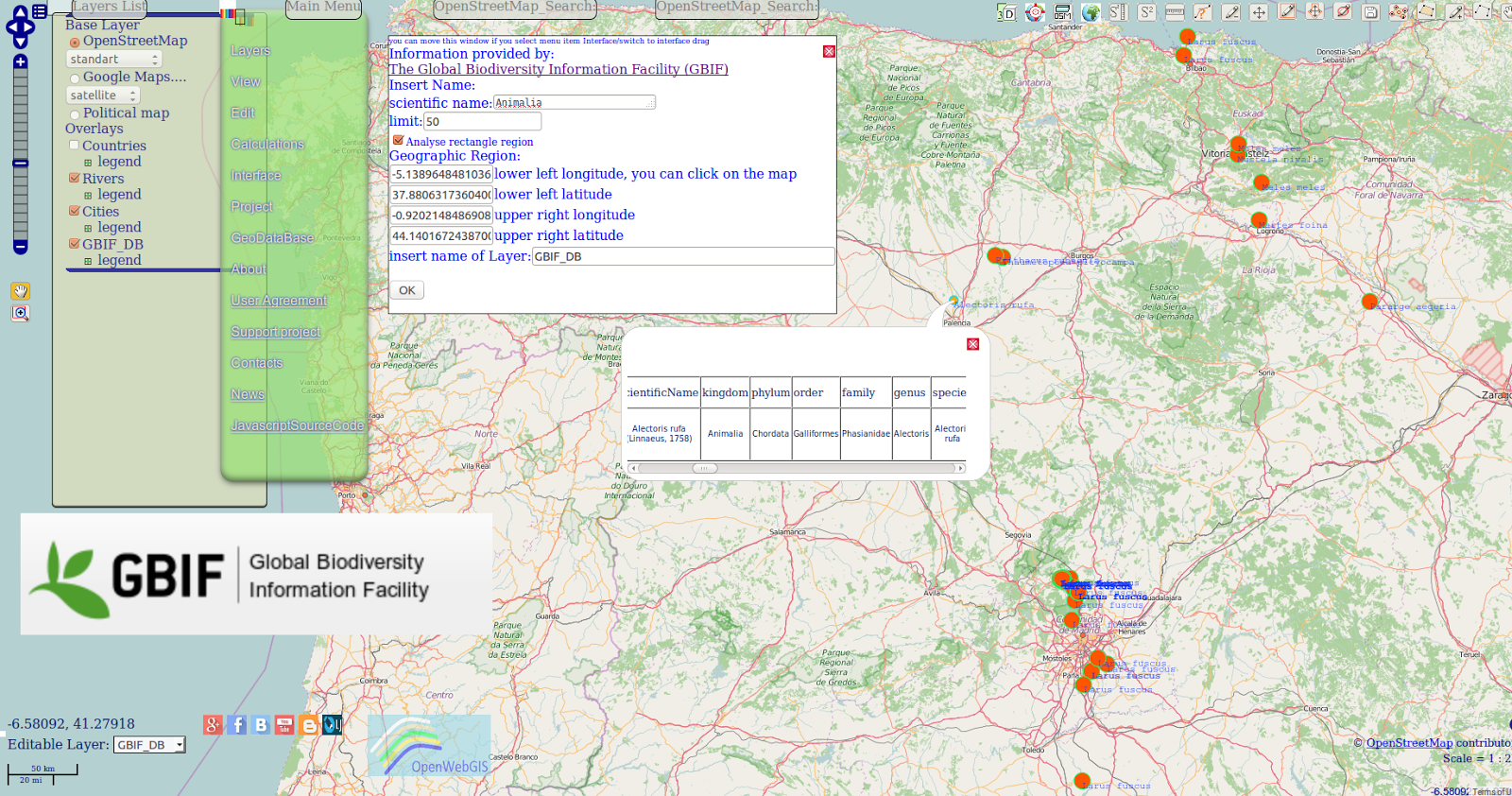
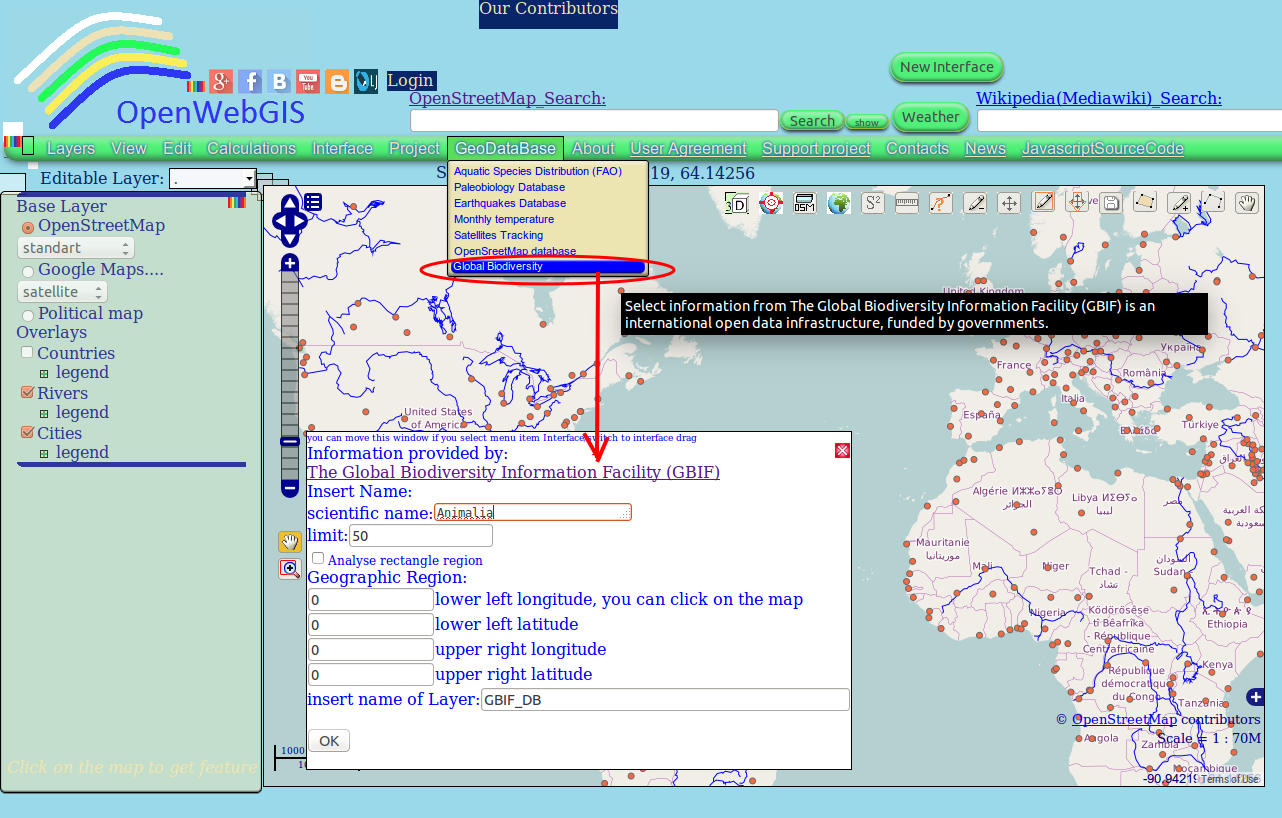 Figure 1 - Popup window for GBIF in the old interface of OpenWebGIS
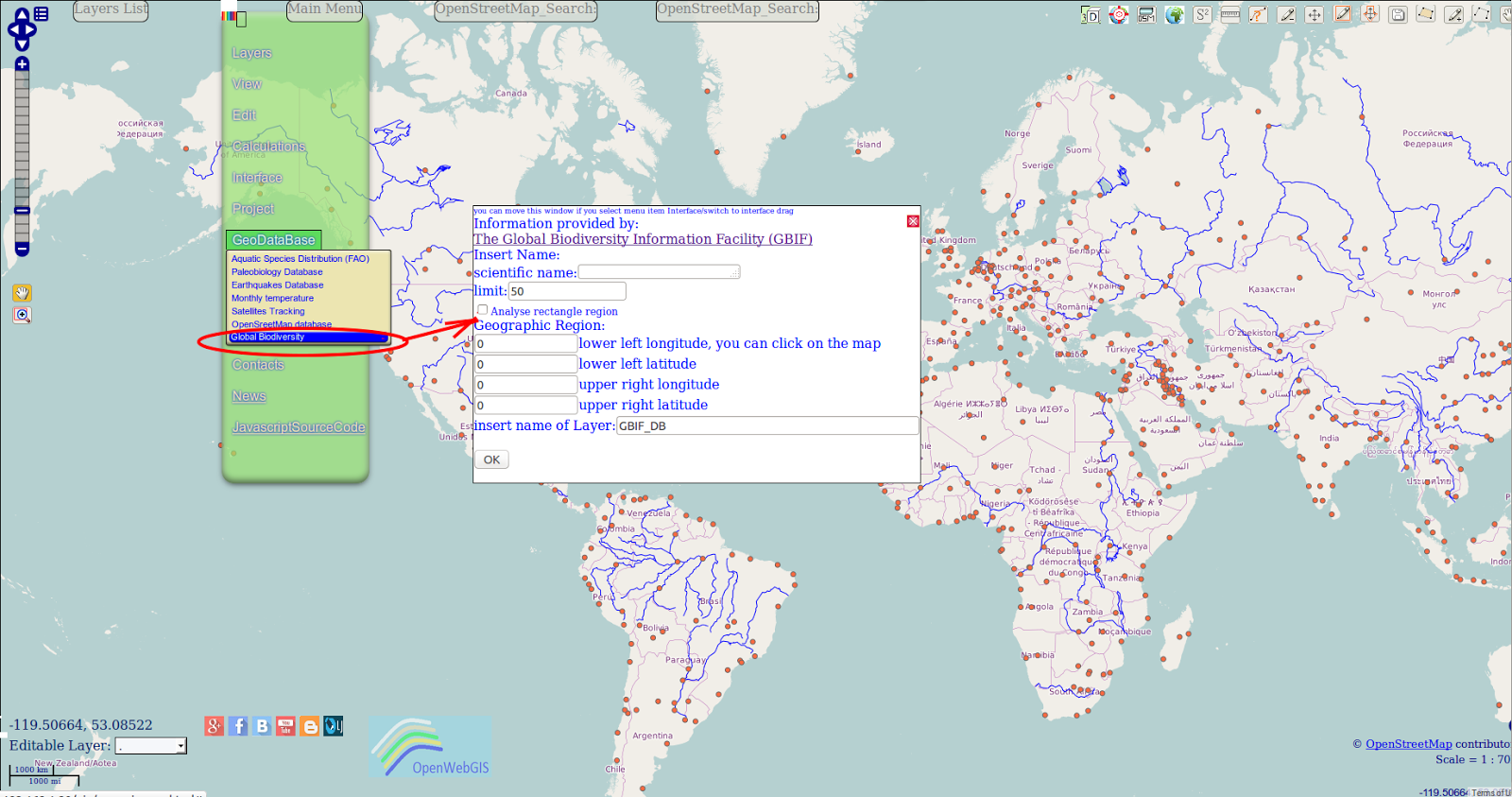 Figure 2 - Popup window for GBIF in one of variants of a new interface of OpenWebGIS
<div style="text-align: justify;">Insert the scientific name of the species. Please write this name like it is described in GBIF Backbone Taxonomy. Option "limit" -controls the number of results. The more the limit is — the selection and mapping are slower.
أكثر...