
<div dir="rtl" style="text-align: right;" trbidi="on">

تحميل الإصدار الأحدث والنهائي 2.
MapInfo Pro v15 - بالإضافة إلى كتب ودروات تكوينية لتعليم البرنامج -
Formation aux logiciels SIG mapinfo- بالإضافة الى نسخة من البرنام عادية مدى الحياة
MapBasic
الإصدار و النظام : : MapInfo Pro v15.0 – 32 bit
Supported Operating Systems:
Windows 7 Ultimate SP1 (32-bit and 64-bit)
Windows 8.1 (32-bit and 64-bit)
Windows 2008 Server R2 64-bit SP1
Windows 2008 Server R2 64-bit SP1 with XenApp 6.0
Windows 2012 Server R2 64-bit with XenApp 7.5
تعليمات حول تحميل البرنامج ownload Instructions
Create temporary directories on your hard drive for each component you download, such as C:\TEMP\MIPro
Click on the MapInfo Pro v15.0 Trial 32-bit download link which will cause the File Download dialog box to appear.
Choose the "Save" button and navigate to the directory created in Step 1 (i.e. C:\TEMP\MIPro).
Once the download completes, use Windows Explorer to navigate to the directory created in Step 1 (i.e. C:\TEMP\MIPro)
Double-click on the file called mipro-v1500-eval.zip.
Extract the files to the temporary directory created in step 1.
Open the temporary directory and execute the file called setup.exe.
This program will start the install wizard that will lead you through the rest of the installation process.
Note certain internet browser settings may prompt an alert notification when downloading the file, which can safely be ignored.
تحميل البرنامجownload Files:
النسخة الاحترافية لمدة 30 يوما :
MapInfo Pro v15 Trial – 32 bit
النسخة العادية مدى الحياة
MapBasic for v15
مجموعة من البيانات المجانية
MapInfo Trial Data/Sample Data
دليل البرنامج
Evaluation Install Guide
ملاحظات حول هذا الاصدار
MapInfo Pro Release Notes
دورات تكوينة مجانية
On-line video tutorials
-قناة مهمة لتعليم البرنامج
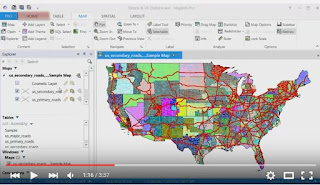
63 فيديو لتعليم البرنامج MapInfo Pro Tutorials من هنا
كتاب مهم عن البرنامج من هنا :
الاصدار : Option 1: MapInfo Pro v15.2 – 64 bit
Supported Operating Systems:
Windows 7 Ultimate 64 bit SP1
Windows 8.1 Professional for 64-bit
Windows 2008 Server R2 64 bit SP1
Windows 2008 Server R2 64 bit SP1 with XenApp 6.0
Windows 2012 Server R2 only 64 bit
Windows 2012 Server R2 64 bit with XenApp 7.5
Windows 10 Enterprise for 64 bit
تحميل البرنامج Download Files:
MapInfo Pro v15.2 Trial – 64 bit
MapInfo Trial Data/Sample Data
Evaluation Install Guide
User Guide
MapInfo Pro Release Notes
On-line video tutorials
مجموعة كاملة الأفلام التعليمية المهمة
[Tutoriel FR MapInfo] Guide pour réussir le contrôle + Mise en Page
[Tutoriel FR MapInfo] Import d'un fichier tabulé et réalisation de carte thématique
16-Délimitation des bassins versants sur SIG
Georeferenciaci
أكثر...

تحميل الإصدار الأحدث والنهائي 2.
MapInfo Pro v15 - بالإضافة إلى كتب ودروات تكوينية لتعليم البرنامج -
Formation aux logiciels SIG mapinfo- بالإضافة الى نسخة من البرنام عادية مدى الحياة
MapBasic
الإصدار و النظام : : MapInfo Pro v15.0 – 32 bit
Supported Operating Systems:
Windows 7 Ultimate SP1 (32-bit and 64-bit)
Windows 8.1 (32-bit and 64-bit)
Windows 2008 Server R2 64-bit SP1
Windows 2008 Server R2 64-bit SP1 with XenApp 6.0
Windows 2012 Server R2 64-bit with XenApp 7.5
تعليمات حول تحميل البرنامج
ownload InstructionsCreate temporary directories on your hard drive for each component you download, such as C:\TEMP\MIPro
Click on the MapInfo Pro v15.0 Trial 32-bit download link which will cause the File Download dialog box to appear.
Choose the "Save" button and navigate to the directory created in Step 1 (i.e. C:\TEMP\MIPro).
Once the download completes, use Windows Explorer to navigate to the directory created in Step 1 (i.e. C:\TEMP\MIPro)
Double-click on the file called mipro-v1500-eval.zip.
Extract the files to the temporary directory created in step 1.
Open the temporary directory and execute the file called setup.exe.
This program will start the install wizard that will lead you through the rest of the installation process.
Note certain internet browser settings may prompt an alert notification when downloading the file, which can safely be ignored.
تحميل البرنامج
ownload Files:النسخة الاحترافية لمدة 30 يوما :
MapInfo Pro v15 Trial – 32 bit
النسخة العادية مدى الحياة
MapBasic for v15
مجموعة من البيانات المجانية
MapInfo Trial Data/Sample Data
دليل البرنامج
Evaluation Install Guide
ملاحظات حول هذا الاصدار
MapInfo Pro Release Notes
دورات تكوينة مجانية
On-line video tutorials
-قناة مهمة لتعليم البرنامج
63 فيديو لتعليم البرنامج MapInfo Pro Tutorials من هنا
كتاب مهم عن البرنامج من هنا :
الاصدار : Option 1: MapInfo Pro v15.2 – 64 bit
Supported Operating Systems:
Windows 7 Ultimate 64 bit SP1
Windows 8.1 Professional for 64-bit
Windows 2008 Server R2 64 bit SP1
Windows 2008 Server R2 64 bit SP1 with XenApp 6.0
Windows 2012 Server R2 only 64 bit
Windows 2012 Server R2 64 bit with XenApp 7.5
Windows 10 Enterprise for 64 bit
تحميل البرنامج Download Files:
MapInfo Pro v15.2 Trial – 64 bit
MapInfo Trial Data/Sample Data
Evaluation Install Guide
User Guide
MapInfo Pro Release Notes
On-line video tutorials
مجموعة كاملة الأفلام التعليمية المهمة
[Tutoriel FR MapInfo] Guide pour réussir le contrôle + Mise en Page
[Tutoriel FR MapInfo] Import d'un fichier tabulé et réalisation de carte thématique
16-Délimitation des bassins versants sur SIG
Georeferenciaci
أكثر...