
<div dir="ltr" style="text-align: left;" trbidi="on">

Finally, the opportunity has appeared to use OpenWebGIS in any language convenient to you, not just English. But it needs your help, dear users of OpenWebGIS. Let's create an effective community of OpenWebGIS users!
To do this, translate the attached file from English into any convenient to you language and send me this file. There is no need to translate all the rows in the file, you can translate only the rows that you can. I am sure that those who use OpenWebGIS will be grateful to you, the translation authors will be specified as the collaboraters of OpenWebGIS. But to make it work, the file with the translation should be prepared according to the rules described below! Please, before you send the file translation, check that it is formed in the format described below. Please do not translate it automatically using any translation software. It is better to make an "alive" translation that will be easy for people to understand.
So how you can help in the development of the online geographical information system:
1. Download the file Interface_text.txt or Interface_text.zip
2. Open it and examine the structure. The text in the file should look as shown in Figure 1 or Figure 2 and 3. In Figure 1 the file is opened in a text editor AkelPad. In Figures 2 and 3 it is done in Microsoft Word.
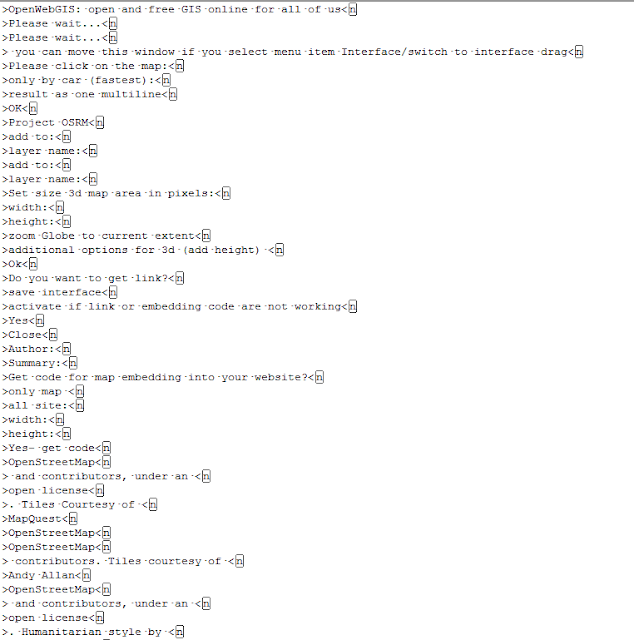 Figure 1.
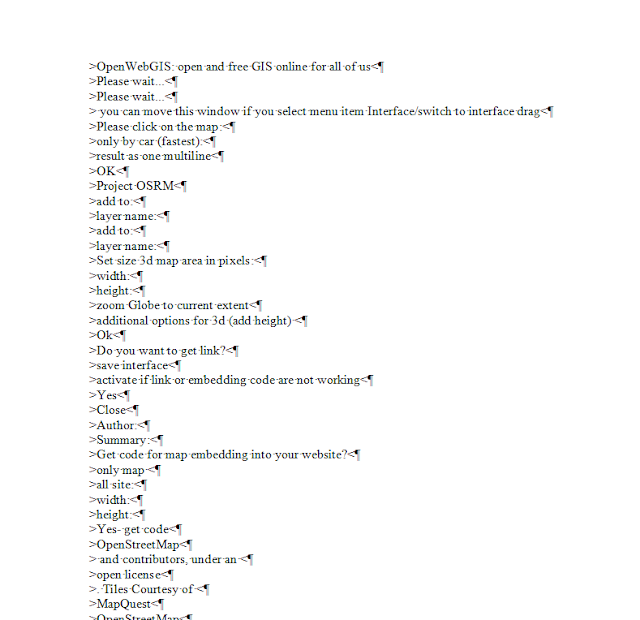 Figure 2.
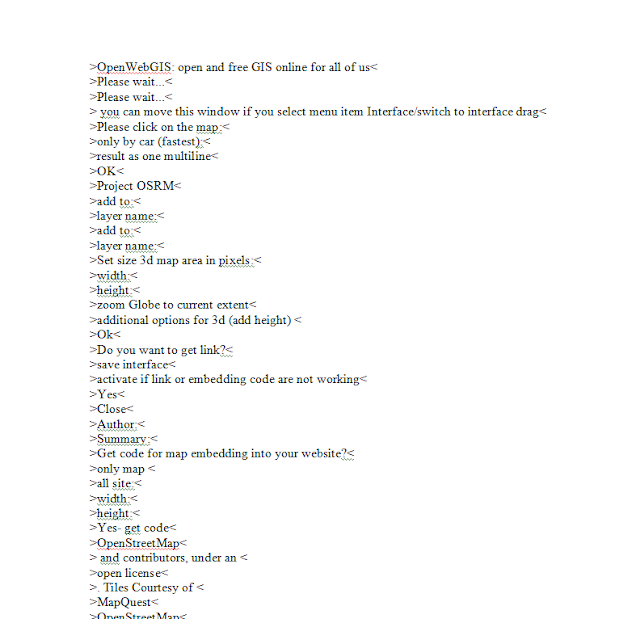 Figure 3.<div style="text-align: justify;">3. Translate sentences. The translation must be added in front of (near) translated row, combining the original text and the translation with symbols ''. The row with the translation must necessarily end with the symbol '<b><span style="color: red;"><span style="font-size: large;">
Finally, the opportunity has appeared to use OpenWebGIS in any language convenient to you, not just English. But it needs your help, dear users of OpenWebGIS. Let's create an effective community of OpenWebGIS users!
To do this, translate the attached file from English into any convenient to you language and send me this file. There is no need to translate all the rows in the file, you can translate only the rows that you can. I am sure that those who use OpenWebGIS will be grateful to you, the translation authors will be specified as the collaboraters of OpenWebGIS. But to make it work, the file with the translation should be prepared according to the rules described below! Please, before you send the file translation, check that it is formed in the format described below. Please do not translate it automatically using any translation software. It is better to make an "alive" translation that will be easy for people to understand.
So how you can help in the development of the online geographical information system:
1. Download the file Interface_text.txt or Interface_text.zip
2. Open it and examine the structure. The text in the file should look as shown in Figure 1 or Figure 2 and 3. In Figure 1 the file is opened in a text editor AkelPad. In Figures 2 and 3 it is done in Microsoft Word.
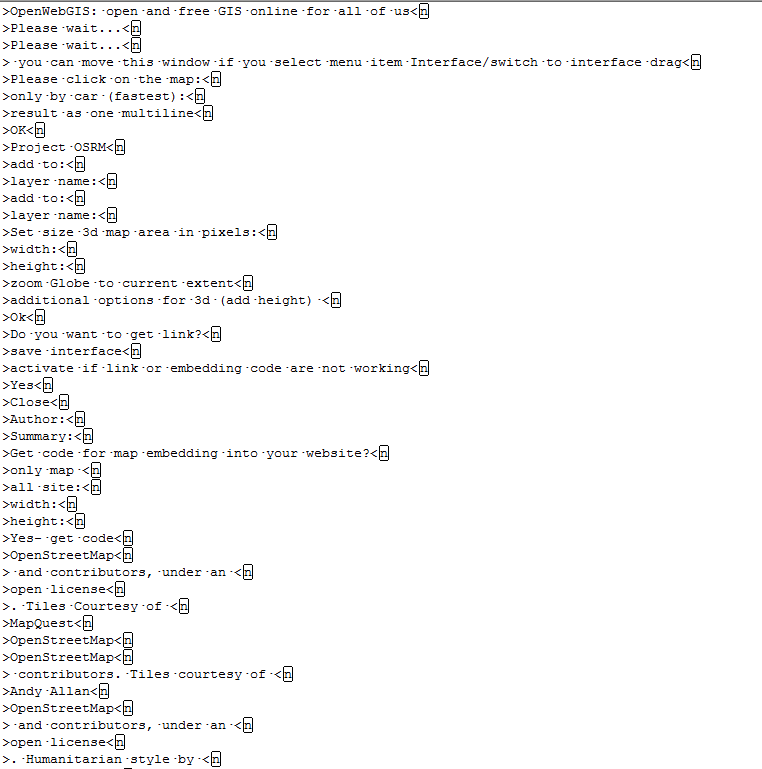 Figure 1.
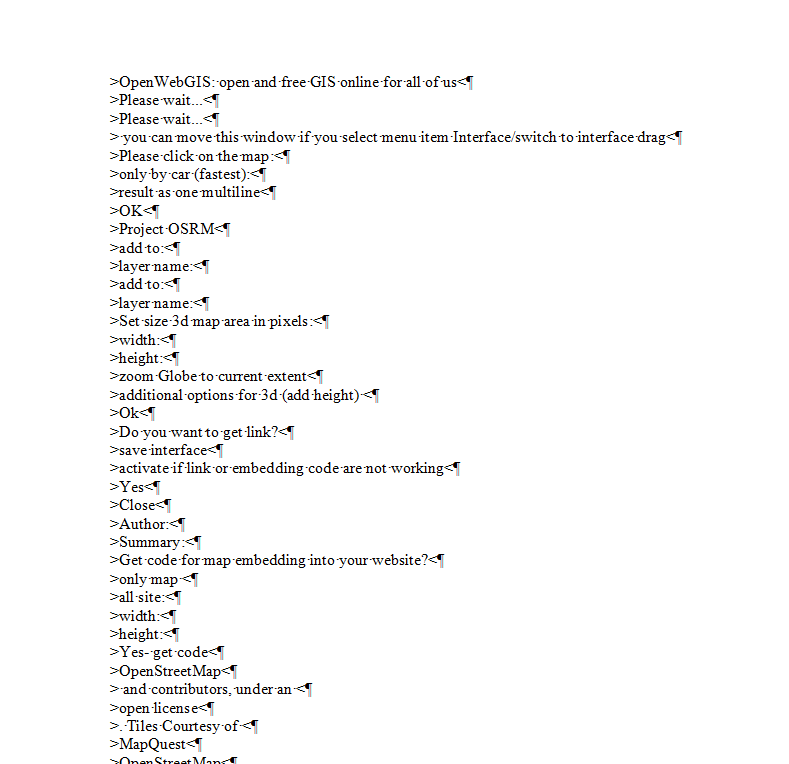 Figure 2.
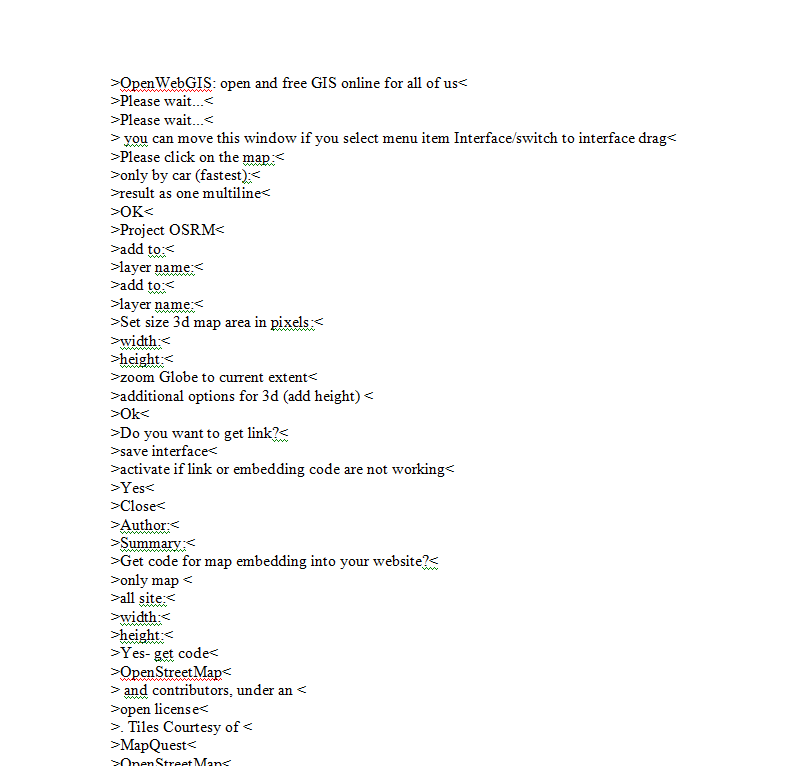 Figure 3.<div style="text-align: justify;">3. Translate sentences. The translation must be added in front of (near) translated row, combining the original text and the translation with symbols ''. The row with the translation must necessarily end with the symbol '<b><span style="color: red;"><span style="font-size: large;">