
<div dir="ltr" style="text-align: left;" trbidi="on">
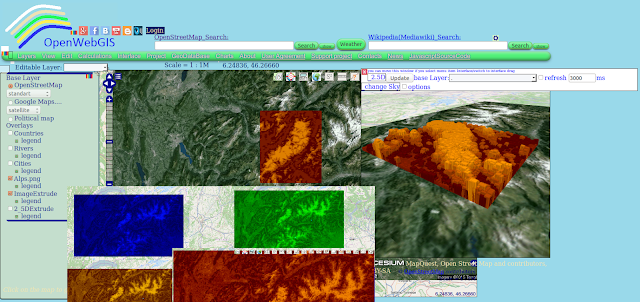
In OpenWebGIS a new function has been created to manipulate images.
<div style="text-align: justify;">With the help of this function, you can calculate and get the height (height and altitude) of each pixel of your image. The calculation is performed based on the luminance (brightness) of the pixel. These estimates are used for the creation of:
The luminance of each pixel is calculated based on the red, green and blue components of a pixel color. In modern scientific and engineering practice the terms Luma and Luminance are distinguished. In OpenWebGIS in order to calculate the pixel luminance (Y), the following formula is used: Y = 0.299*R + 0.587*G + 0.114*B. If users of OpenWebGIS have a different opinion, it is possible to add in the interface the ability to calculate the luminance using other formulas, for example:
Y = 0.2126*R + 0.7152*G + 0.0722*B;
Before the calculations the users specify the height interval (in meters) that in their opinion corresponds to the height interval of objects that are on the image (relief, buildings, etc.). The calculation is performed by the formula:
H = ((Math.abs (Yi- minUserH) * (maxUserH-minUserH)) / (maxY-minY)) + minUserH;
where: Yi is the luminance value of analyzed pixel , maxUserH- maximum height defined by the user, minUserH - minimal height defined by the user, minY - minimum luminance of Image pixels, maxY- maximum luminance of Image pixels, Math.abs -return the absolute value of a number; This way calculated height is used to create a vector layer as a set of squares with the appropriate attributes, also layer of 2.5D columns the height of which is equal to calculated heights. Later the user can create 3D view of objects on the base of the vector layer.
Take a satellite photo of the Alps region of Google maps. The area covered by the image is limited by the coordinates: lower left longitude: 5.6537292421837; lower left latitude: 45.20171303181052; upper right longitude: 8.400311273051333; upper right latitude: 46.35103284714349. The photo is shown in Figure 1.
 Figure 1Add a photo to the map by using the menu item "Layers-> New Layer from Image file". We insert the coordinates of the image corners in pop-up window, as shown in Figure 2.
 Figure 2
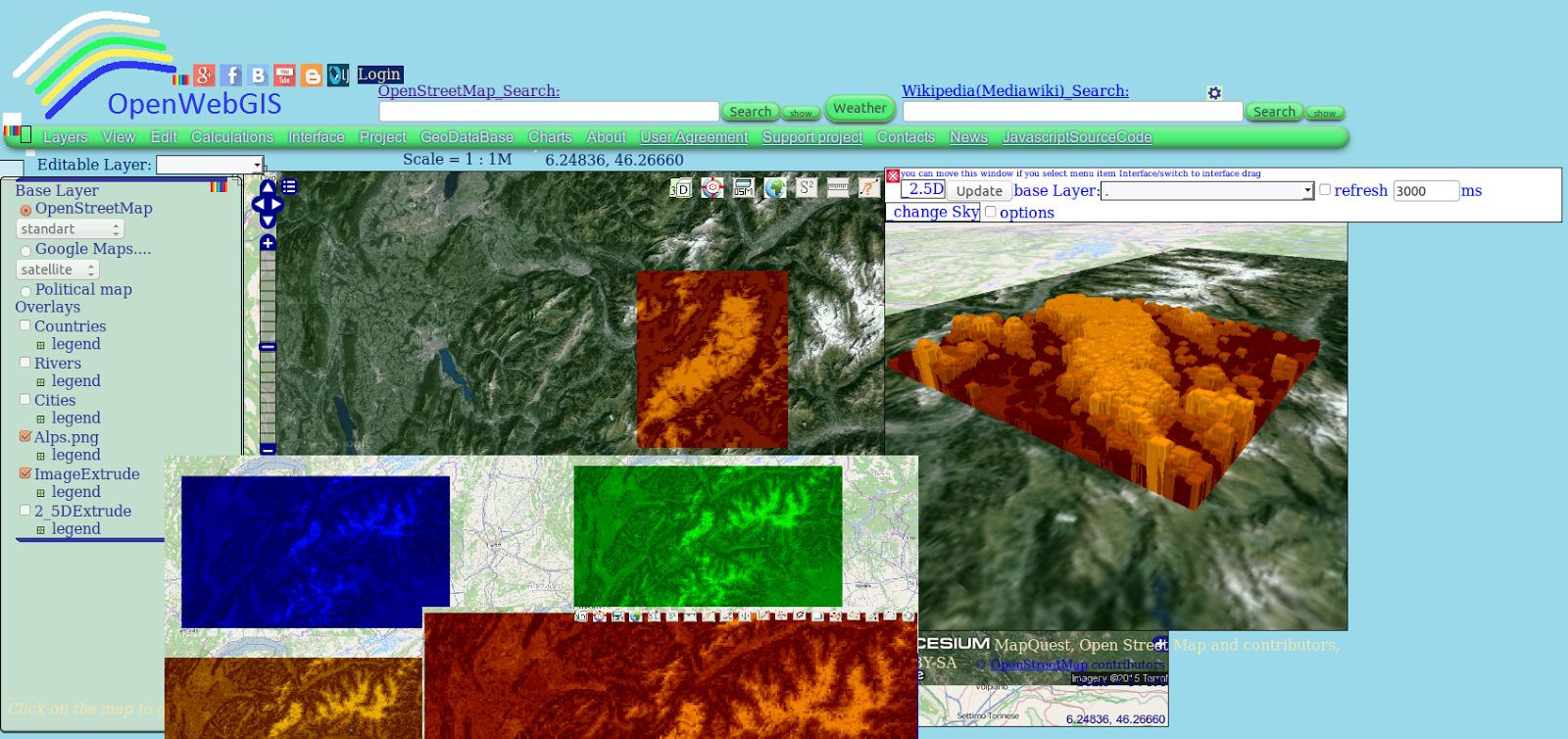
In OpenWebGIS a new function has been created to manipulate images.
<div style="text-align: justify;">With the help of this function, you can calculate and get the height (height and altitude) of each pixel of your image. The calculation is performed based on the luminance (brightness) of the pixel. These estimates are used for the creation of:
- Vector layer (consisting of squares the number of which is equal or less than a number of pixels - it all depends on the settings you specify);
- Layer that consists of 2.5D columns based on "OSM Buildings" technology. For more information about "OSM Buildings" read here: "Integration of OpenWebGIS with OSM Buildings JavaScript library";
- The three-dimensional (3D) layer-based technology Cesium. For more information about "Cesium" read here:"3D maps, new version of Cesium JavaScript library and OpenWebGIS".
The luminance of each pixel is calculated based on the red, green and blue components of a pixel color. In modern scientific and engineering practice the terms Luma and Luminance are distinguished. In OpenWebGIS in order to calculate the pixel luminance (Y), the following formula is used: Y = 0.299*R + 0.587*G + 0.114*B. If users of OpenWebGIS have a different opinion, it is possible to add in the interface the ability to calculate the luminance using other formulas, for example:
Y = 0.2126*R + 0.7152*G + 0.0722*B;
Before the calculations the users specify the height interval (in meters) that in their opinion corresponds to the height interval of objects that are on the image (relief, buildings, etc.). The calculation is performed by the formula:
H = ((Math.abs (Yi- minUserH) * (maxUserH-minUserH)) / (maxY-minY)) + minUserH;
where: Yi is the luminance value of analyzed pixel , maxUserH- maximum height defined by the user, minUserH - minimal height defined by the user, minY - minimum luminance of Image pixels, maxY- maximum luminance of Image pixels, Math.abs -return the absolute value of a number; This way calculated height is used to create a vector layer as a set of squares with the appropriate attributes, also layer of 2.5D columns the height of which is equal to calculated heights. Later the user can create 3D view of objects on the base of the vector layer.
Let's look at one of the examples of the function "Extrude image" usage.
Take a satellite photo of the Alps region of Google maps. The area covered by the image is limited by the coordinates: lower left longitude: 5.6537292421837; lower left latitude: 45.20171303181052; upper right longitude: 8.400311273051333; upper right latitude: 46.35103284714349. The photo is shown in Figure 1.
 Figure 1Add a photo to the map by using the menu item "Layers-> New Layer from Image file". We insert the coordinates of the image corners in pop-up window, as shown in Figure 2.
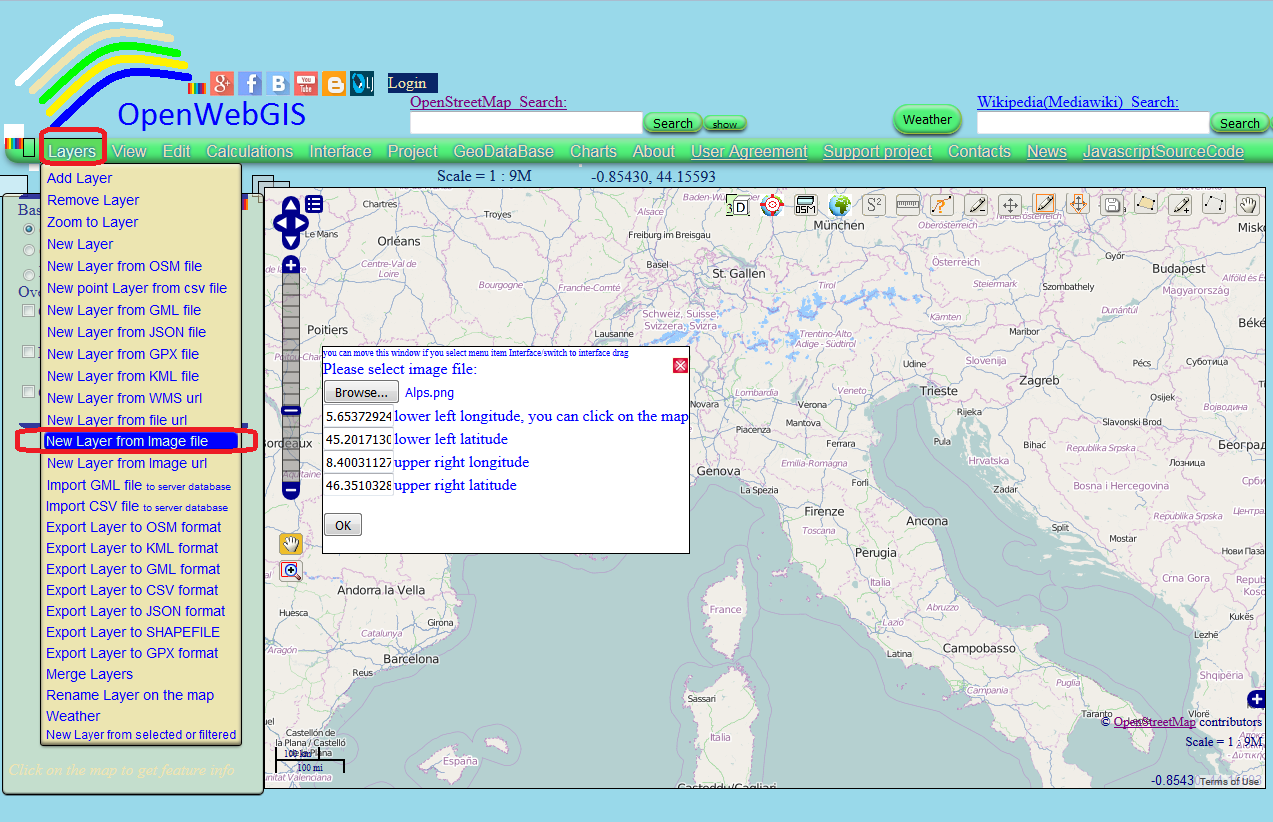 Figure 2